Benefits
What a member gets, and the rules that come with it.
Channel Reserve is a way to keep an order you would otherwise lose. Here is what a member gets, and exactly what the site shows, to whom, and when.
What a member gets
Check the network, request quotes, keep the order.
Keep the order
Before you tell a customer no, check whether the part is in stock in the network and request quotes from the members holding it.
Quote when you choose
Requests reach you for parts you have listed. You decide whether to quote each one, at your own price and terms, for the quantity you choose to offer. Nobody has to respond.
Tools for inside sales
Drive, cylinder and sensor selectors, engineering calculators, a parts list check and a want list that tells you when a part is in stock in the network. The selectors, product keys and part numbers you see are those of the lines you carry.
Why members join
Keep the order. Keep the customer.
When you and the factory are both out, one search tells you whether the part is in stock in the network.
-
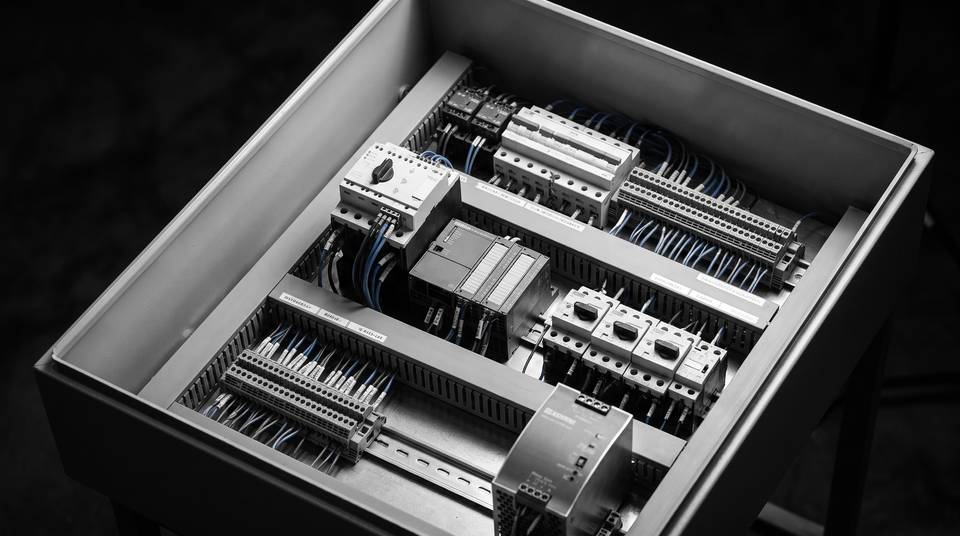
Keep their lines running
When a customer's panel is down, a quick check shows whether the part is in stock in the network.
-

Answer with a yes
When you and the factory are out, your inside sales team can still check the network and request a quote.
-

Finish the sale directly
Once you accept a quote, you and the supplier complete the sale on your own terms.
The rules, built in
What the site shows, to whom, and when.
These rules are built into the site.
Searching
- One exact part number per searchEach search matches one exact manufacturer part number. No wildcards and no partial matches.
- In stock in the network, or notThat is what a search says about other members' stock. It never shows quantities, prices, regions or names, how many members hold the part, or when their stock was last updated.
- No browsing, listing or exportNo page lists another member's stock, and nothing about it can be downloaded or exported.
- What a search displays is filteredA search displays stock only in the manufacturer lines Channel Reserve has on file as lines you are an authorized distributor for. Stock held by a member whose states overlap yours is not displayed. "Not in stock in the network" means no stock is displayed to you. A request goes only to the holders whose stock was displayed to you. This is a filter on what the site displays, not a rule about where or to whom anyone sells: members may trade with anyone, on or off the site.
- Search is for members who list current stockTo search, a member needs a stock upload from the last 7 days with at least one part listed.
- Every search is countedSearches are limited per user and per company each day, and each one is logged.
Requests and quotes
- A request is the part and the quantityNothing else. A request has no note and no free text, so it never names or describes your customer.
- Holders don't see who is askingA request goes only to members holding the part. They see the part, the quantity and any time to respond by. They do not see your company, your name, your city or your contact details.
- Each holder decides whether to quoteA holder may send a quote or pass, and nobody has to respond. Each holder sets its own price and terms, and a quote states the quantity the holder chooses to offer. Terms are picked from short lists for payment, freight and ship time, each with a choice to agree them after acceptance. A quote has no free text, so it cannot say who sent it. Channel Reserve sets no formula, floor or cap, suggests no price, and is not a party to the sale: it takes no title, sets no terms and handles no payment.
- Names only when a quote is acceptedYou see quotes as Quote 1, Quote 2 and so on, with no name. When you accept one, and only then, you and that member learn who the other is. Every other holder is told only that the request is closed.
- A quote stays between two membersThe site shows a quote's price and terms only to the two members involved: the one that asked and the one that quoted. No other member is shown them, Channel Reserve staff screens never show them, and they are not in the activity log or in any report. Prices are never averaged, compared or suggested.
- No drop-shipThe site has no drop-ship option. Parts ship to the member that asked.
A limit to know aboutWhile the network is small, a member may be able to work out who holds a part or who is asking. With very few members, an answer cannot be fully anonymous.
Your stock, your choice
- You choose what is listedHold back safety stock, leave out a part, or leave out a whole product line.
- No prices from your stock fileCost and price columns in the file you upload are ignored and never stored.
- Your description stays with youThe description in your file appears only on your own inventory page. Another member sees the part number and the manufacturer, and that the part is in stock in the network.
Membership and records
- AdmissionChannel Reserve decides admission. No member vote or veto. Membership is voluntary and non-exclusive.
- No obligation to answer or to sellNobody has to answer a request or make a sale, and members may trade with anyone, on or off the site.
- For that transaction onlyEvery page and email about a request carries the same line: "Use what you learn through Channel Reserve only to complete this transaction."
- On the recordSearches, requests and their outcomes are logged, and the site gives no way to edit or delete a log entry. No member gets a report on another member's searches, requests or sales.
- When Channel Reserve staff open a member's recordsWhen staff search, they get the answer a member gets: in stock in the network, or not. On the site, staff can open a member's records, such as its uploaded stock and its activity, only inside a support session, which starts with a stated reason. The reason and what staff view are logged, and a member can ask for the log of access to its records. Staff screens never show a quote's price or terms. Help that staff give with a member's accounts, such as sending an invitation again, is logged against that member.
Getting connected
Works with a CSV export from any ERP.
Upload a stock file in the browser, or have a scheduled job send it every night with an upload key. The file needs columns for manufacturer, part number and quantity. Common ERP column names are recognized.
Only the manufacturer, part numbers, quantity, location and description are read. There is nothing to install and no inbound access to your systems.
| manufacturer | part_number | quantity |
|---|---|---|
| Phoenix Contact | 2904601 | 6 |
| ABB | ACS580-01-07A6-4 | 2 |
Three columns are enough. Cost and price columns are ignored and never stored. The quantities in your file are never shown to another member.
- AdmissionChannel Reserve decides admission. No member vote or veto. Membership is voluntary and non-exclusive.
- Your price, your termsEach member quotes independently. Channel Reserve sets no prices and isn't a party to the sale.
- Members onlySearch, requests and every tool sit behind a member sign-in. Nothing about any member's stock is public.